
BETA
Join
Catch your wave. Surflens catches you.
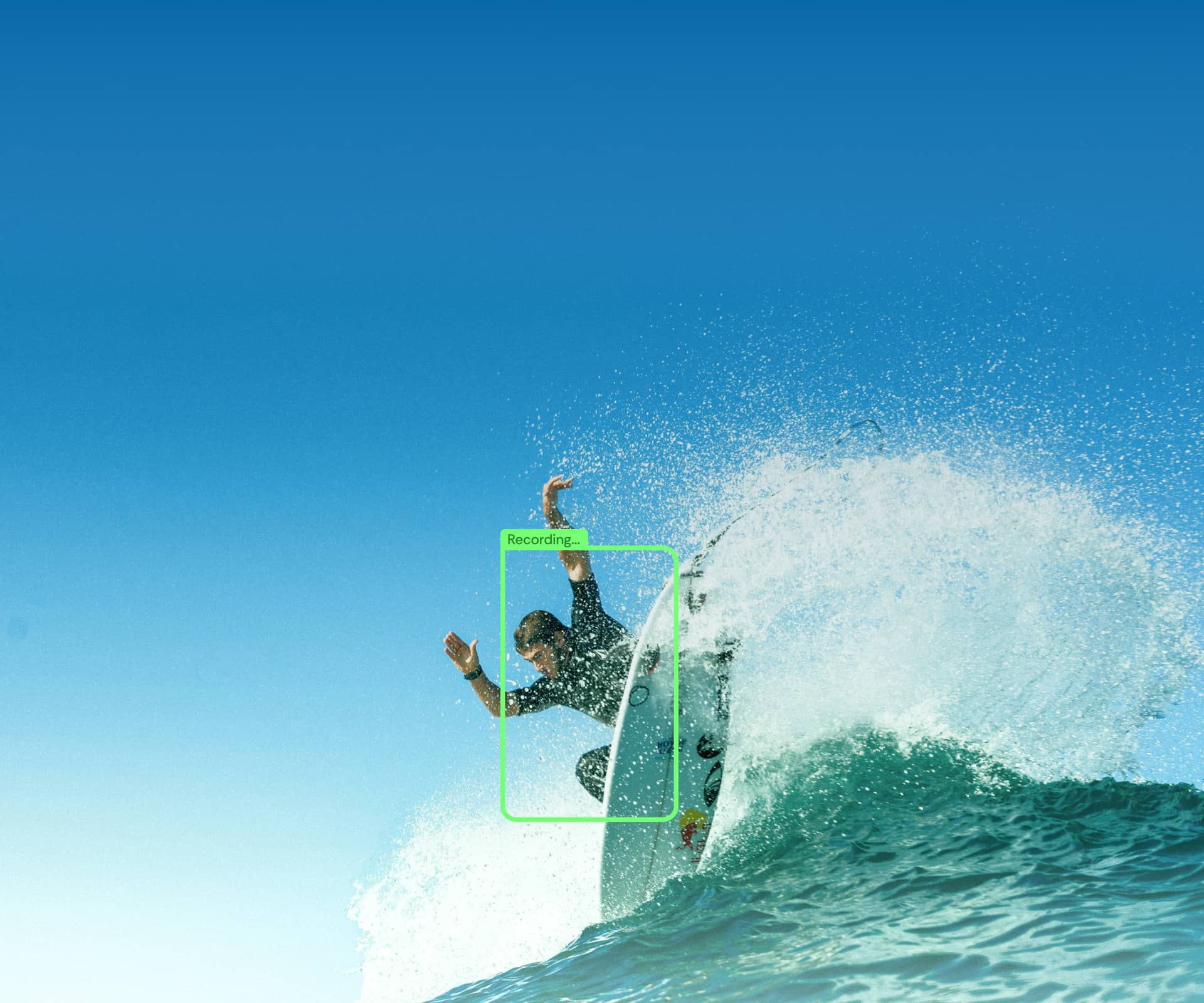
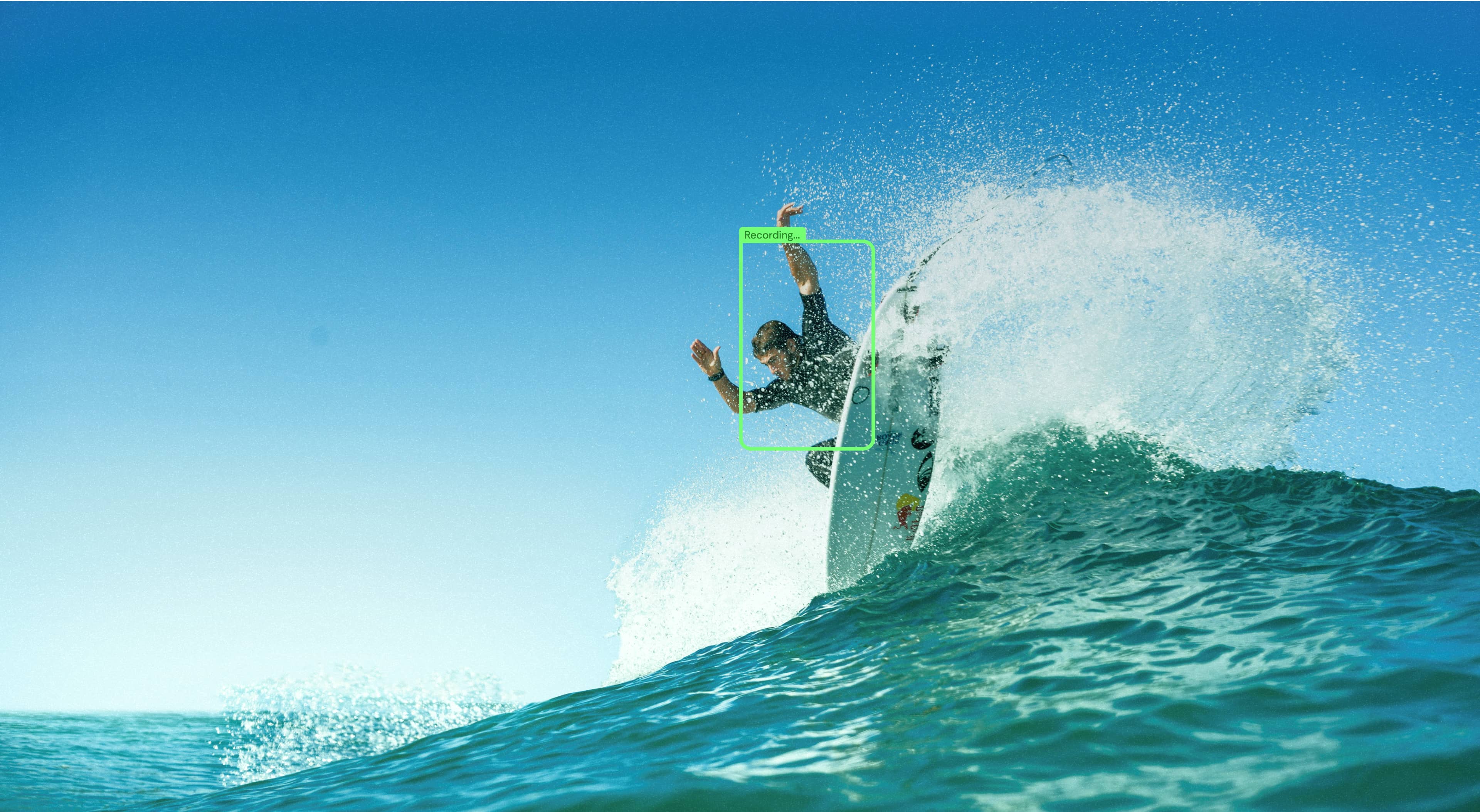
AI-powered surf camera in your iPhone that shoots, tracks and teaches you to ride better.
Join waitlist
Be among the first 1000 — get lifetime PRO access.

How It Works
Your camera on the shore. Your control on the wave.
See Surflens in action
1
Using only an iPhone
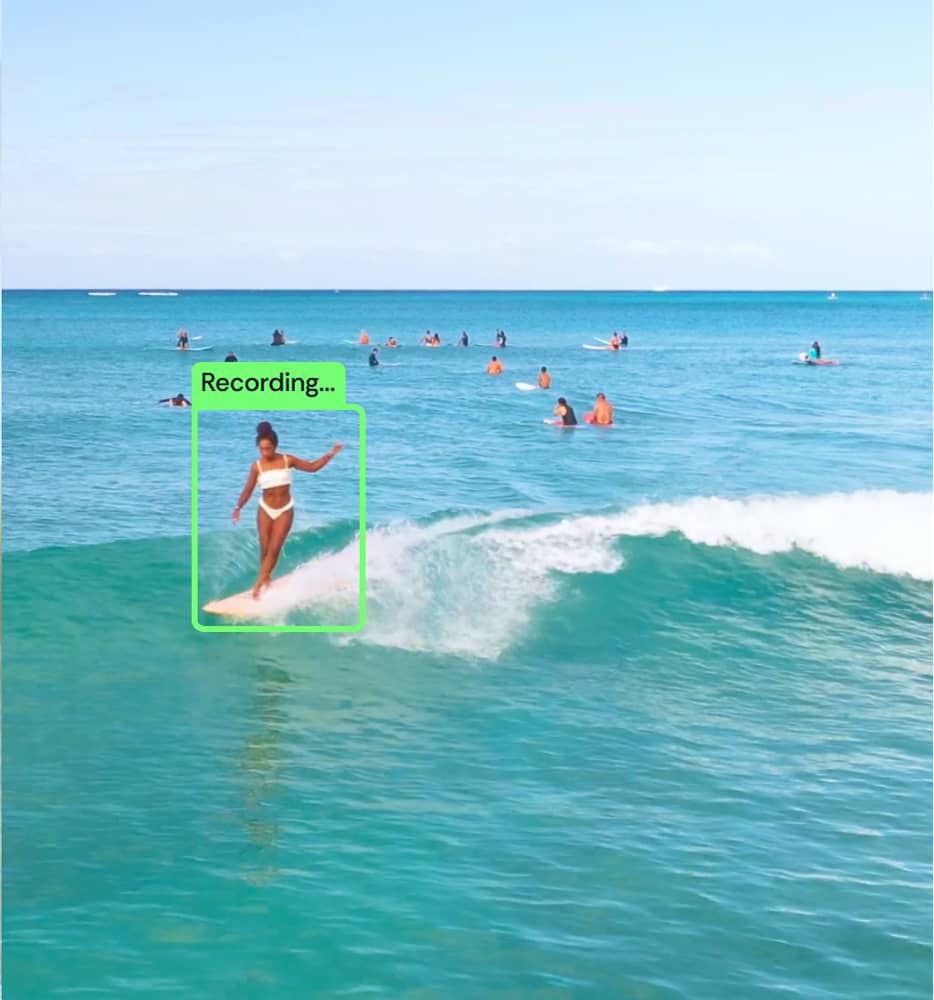
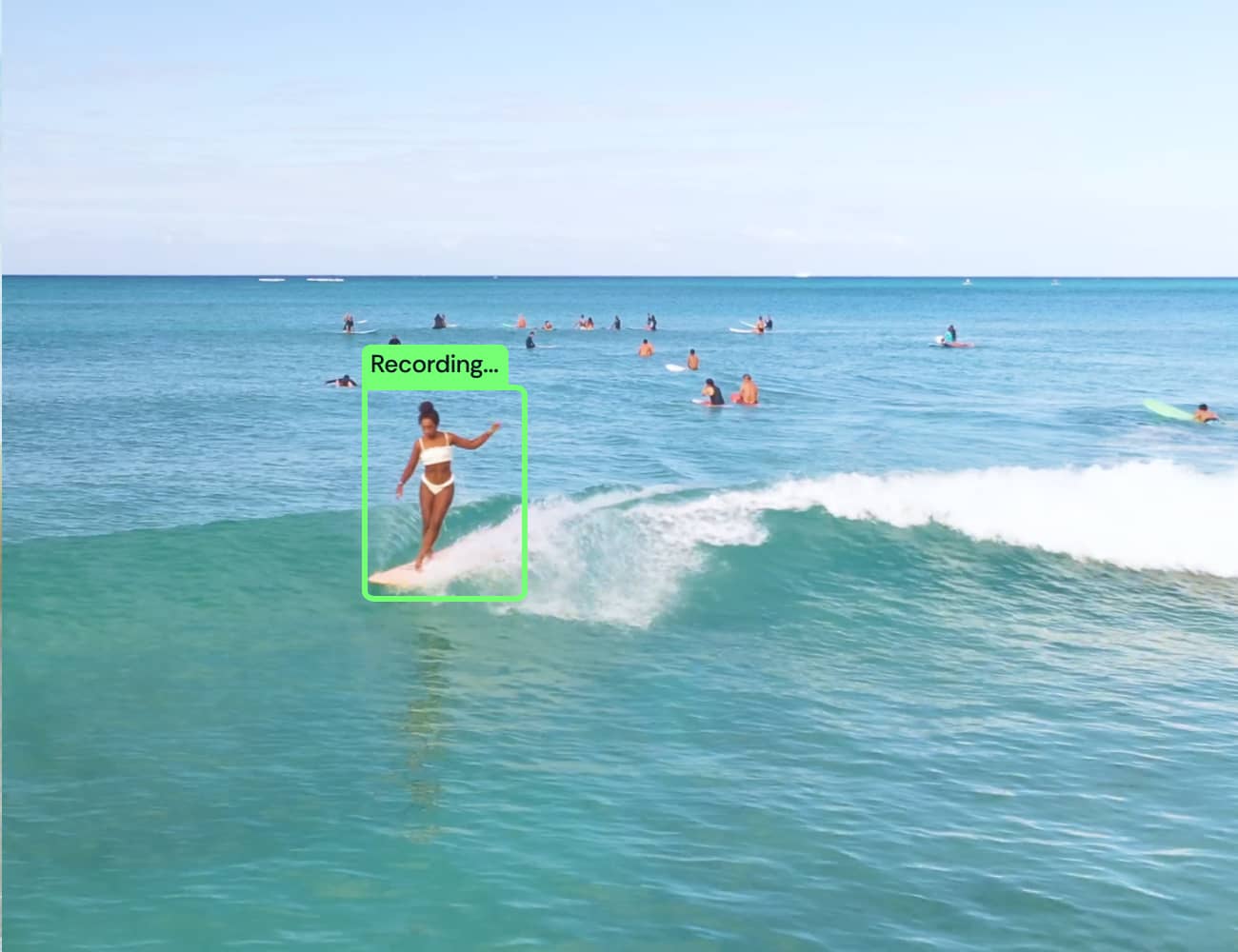
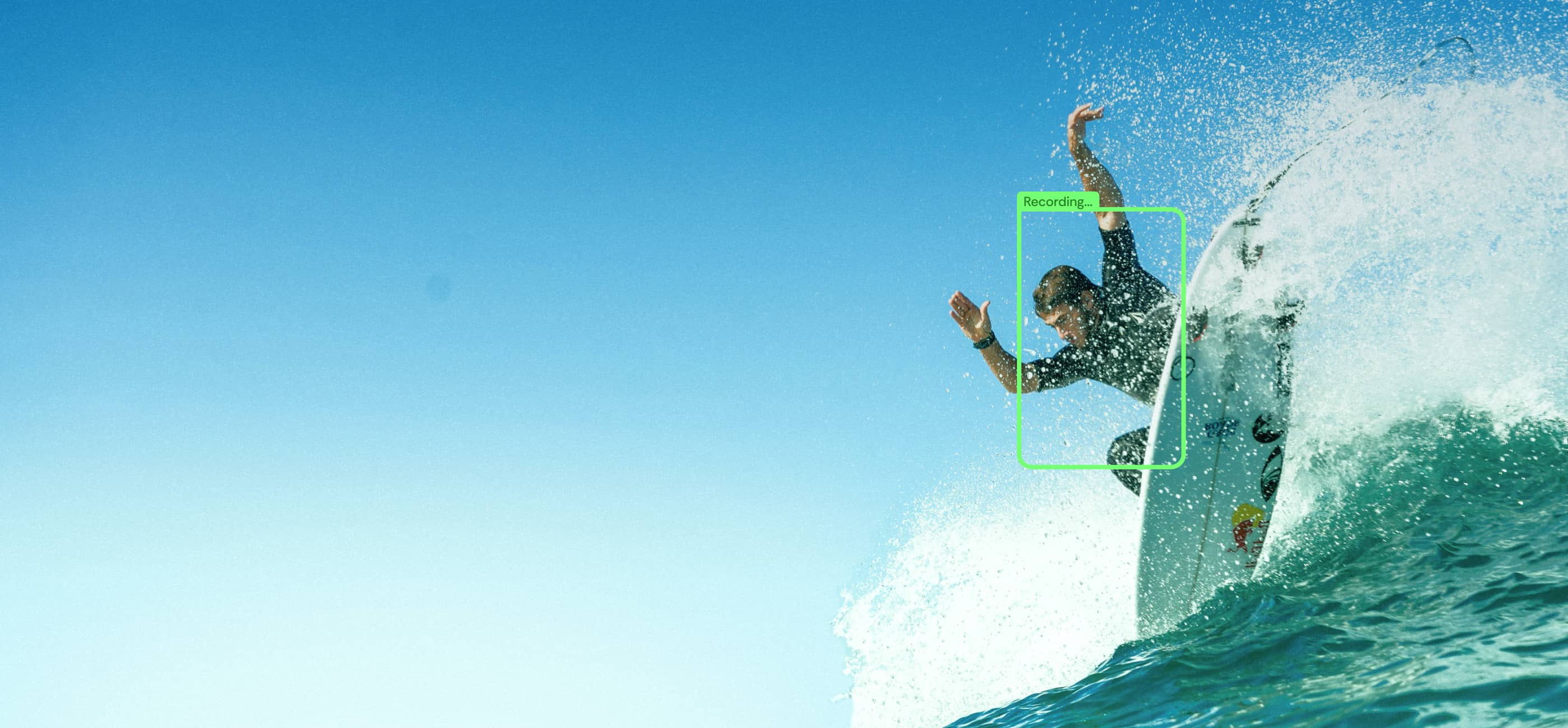
AI finds you on the wave and keeps you in frame
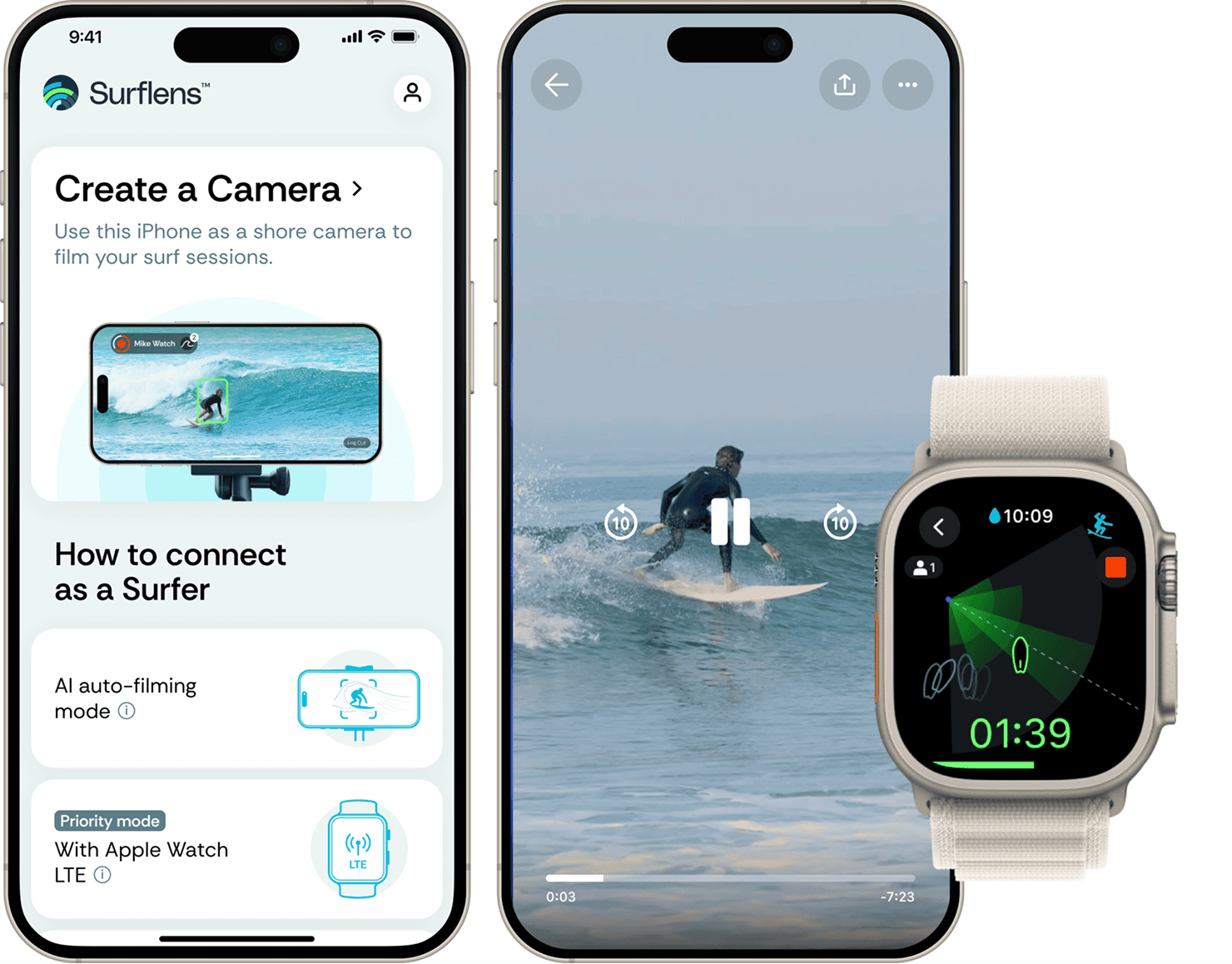
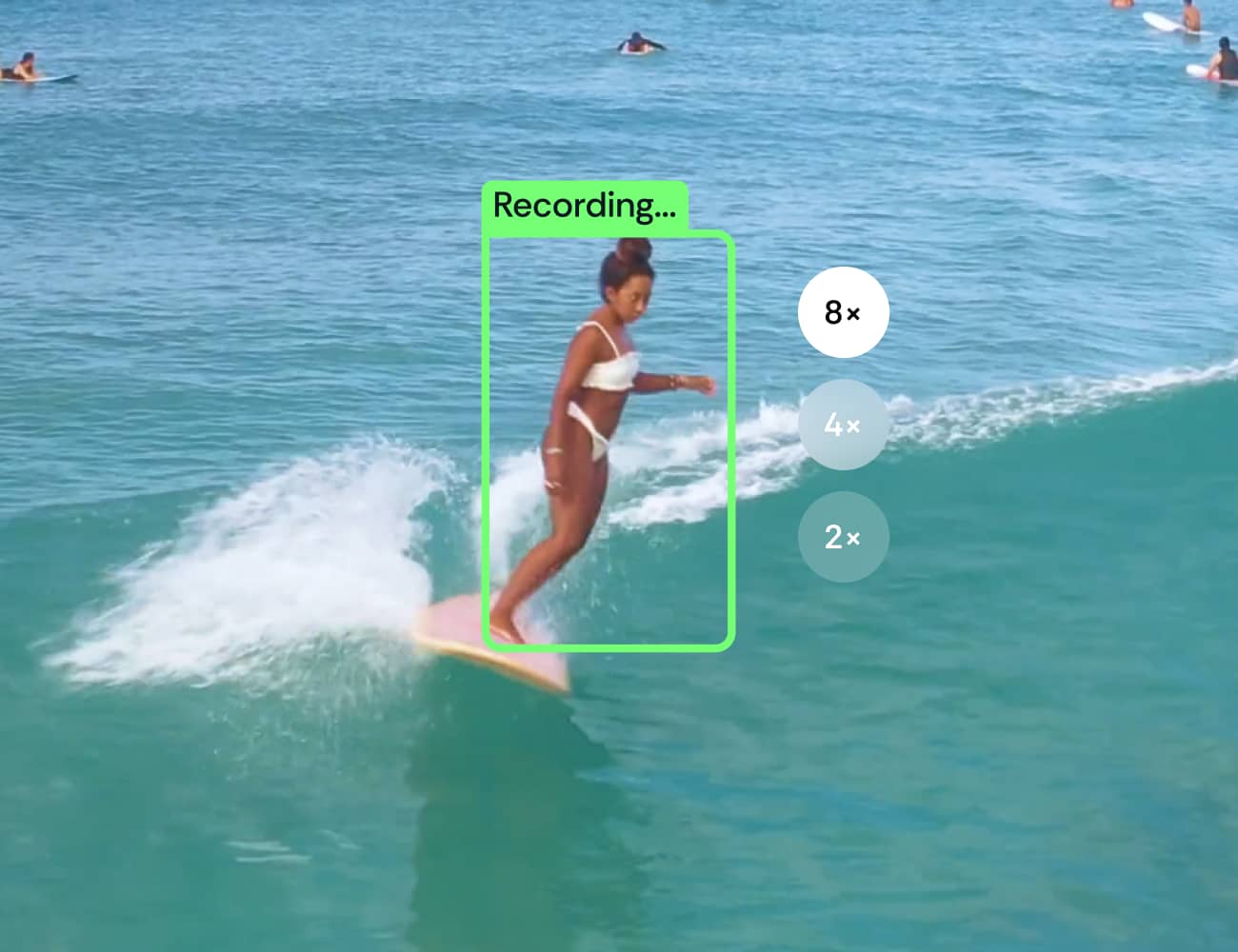
Set your phone on the beach, and the AI-powered camera will automatically detect and record your waves.
ⓘ Before going into the water, make sure your phone is safe on the shore and someone is looking after it.
2
Using an iPhone + LTE Apple Watch
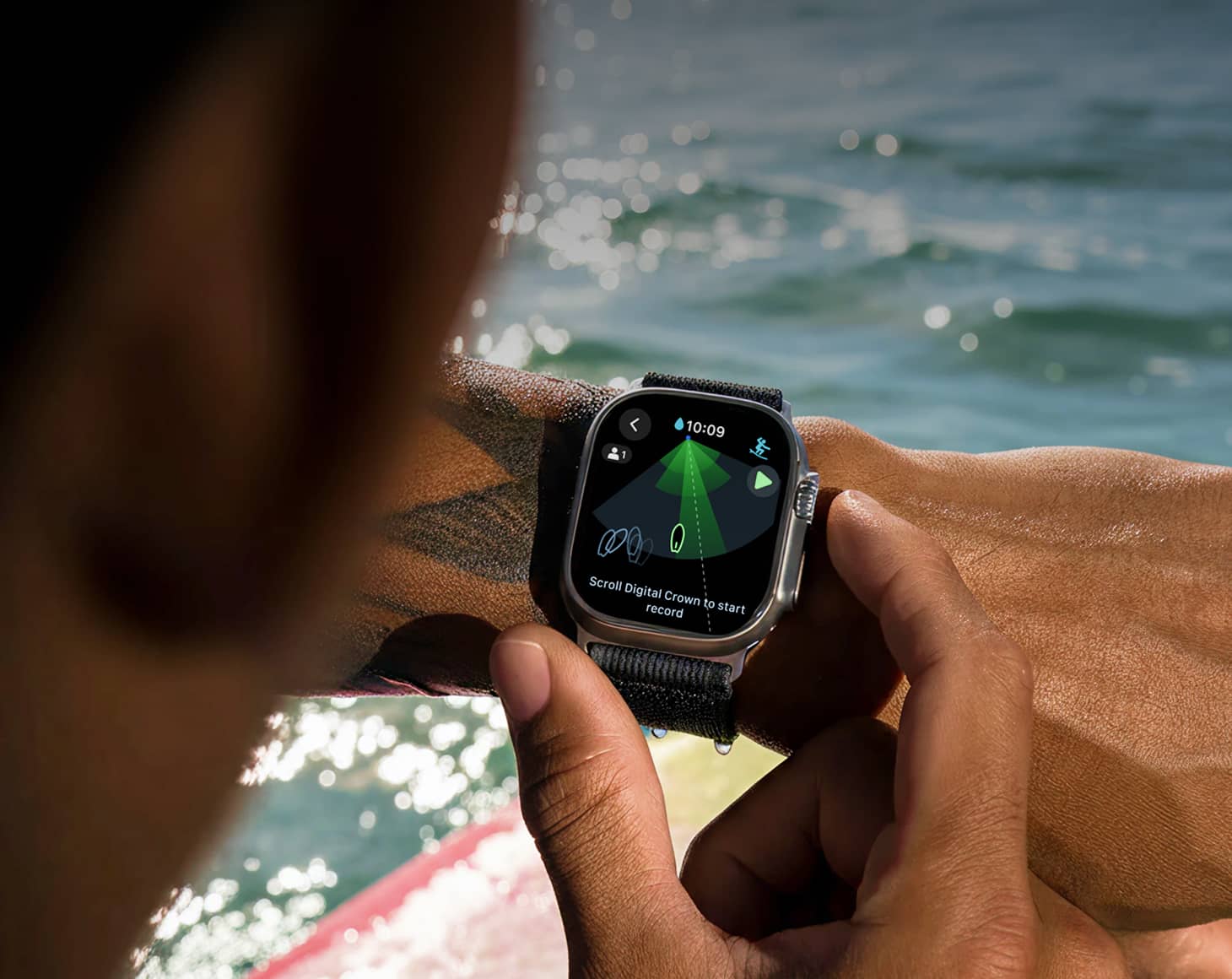
Need more control? Add your LTE watch on the wave.
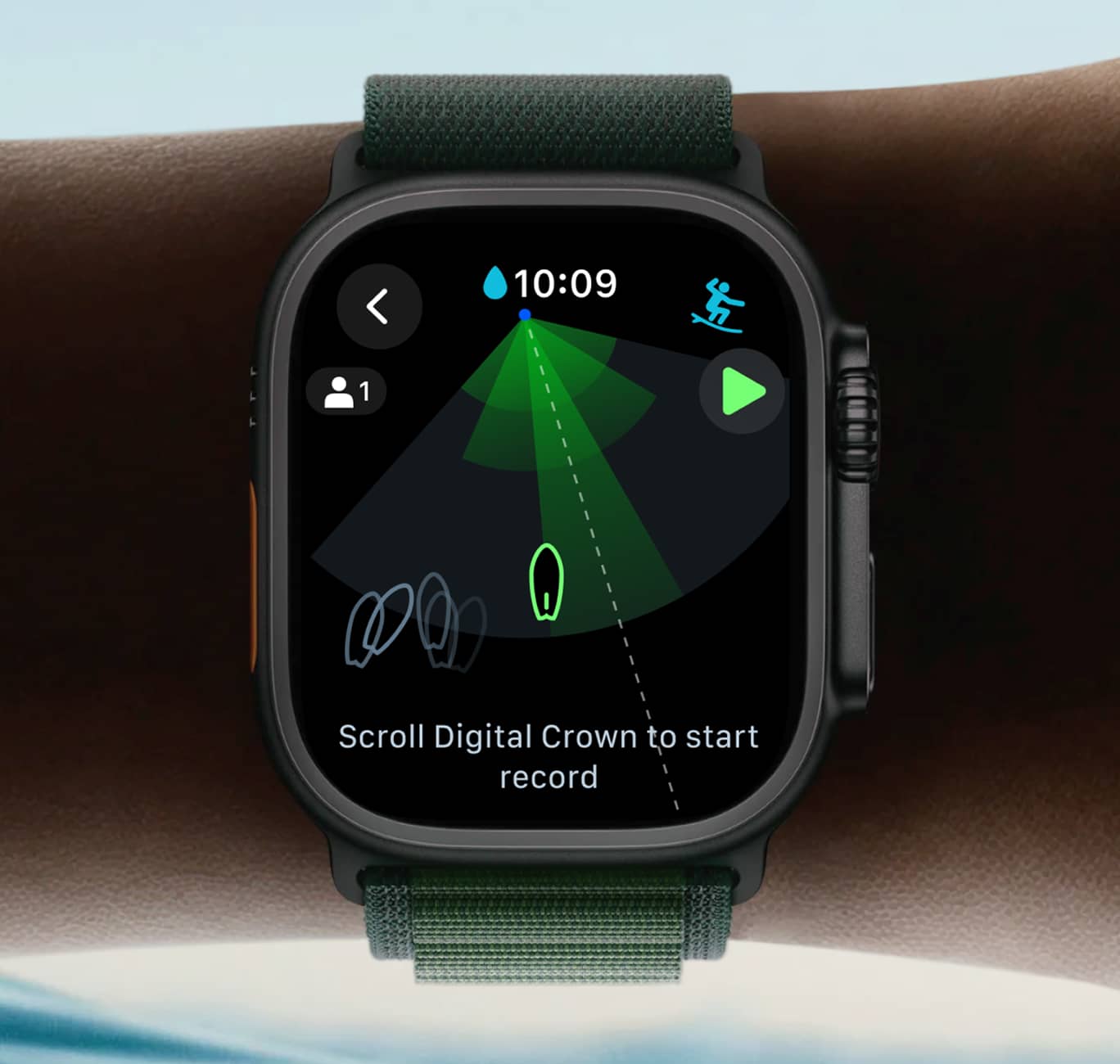
Control your camera's range right from your wrist— know exactly where the lens is pointing and start/stop recording.

3
Using an iPhone + Second iPhone and Apple Watch
No LTE? Use the second phone on the water for the connection
Just take a second iPhone in a waterproof case — it connects seamlessly and keeps your watch linked to the shore camera.

Designed for surfers
in the water
Stay in the frame. See your previous starts.

Start or stop recording scrolling Digital Crown or gesture
Stay in control on your wrist
Designed for Water
Lock mode
Analyze your takeoff position on the wave
Optimized for
battery Life
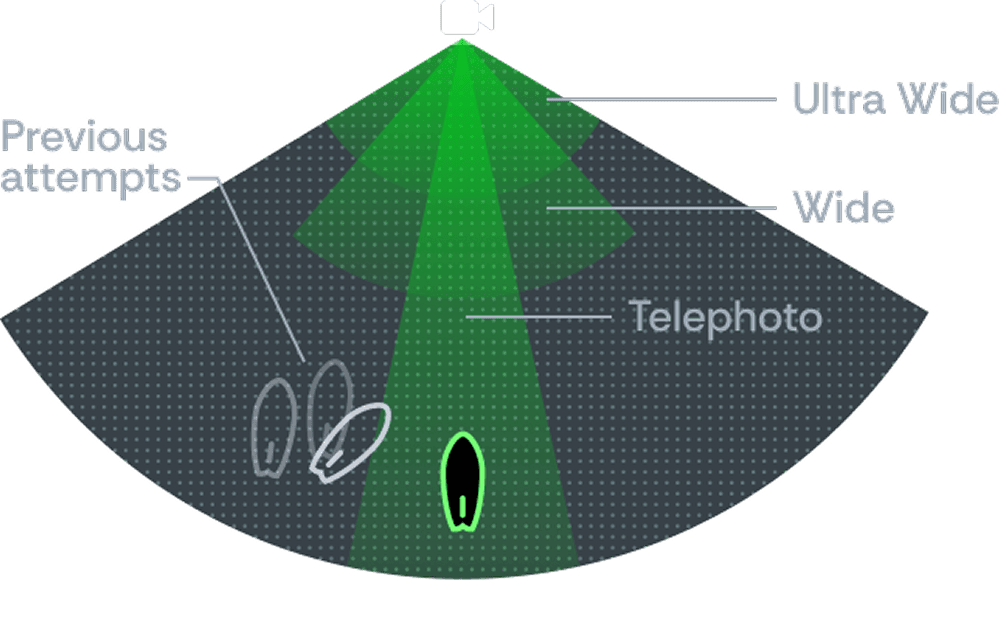
Smooth lens switching
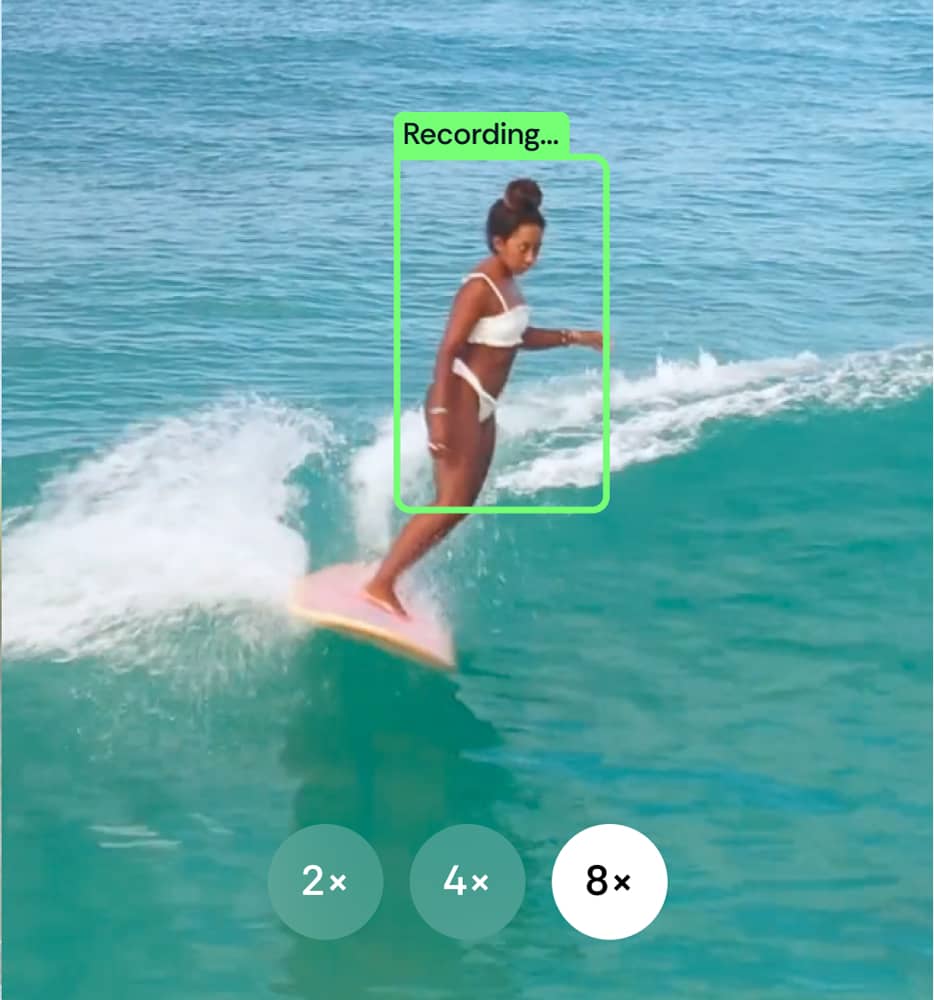
The lenses switch automatically as you ride the wave, because every detail matters.

Multi-Camera & Shared Sessions
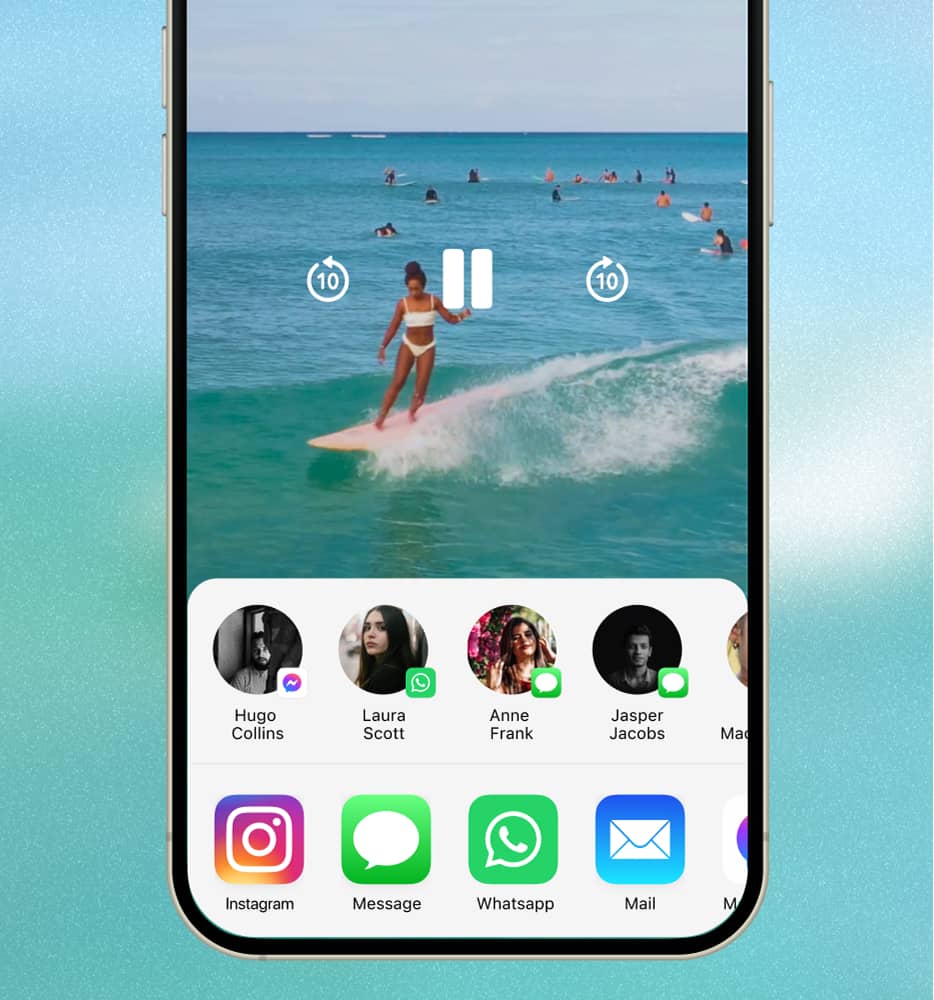
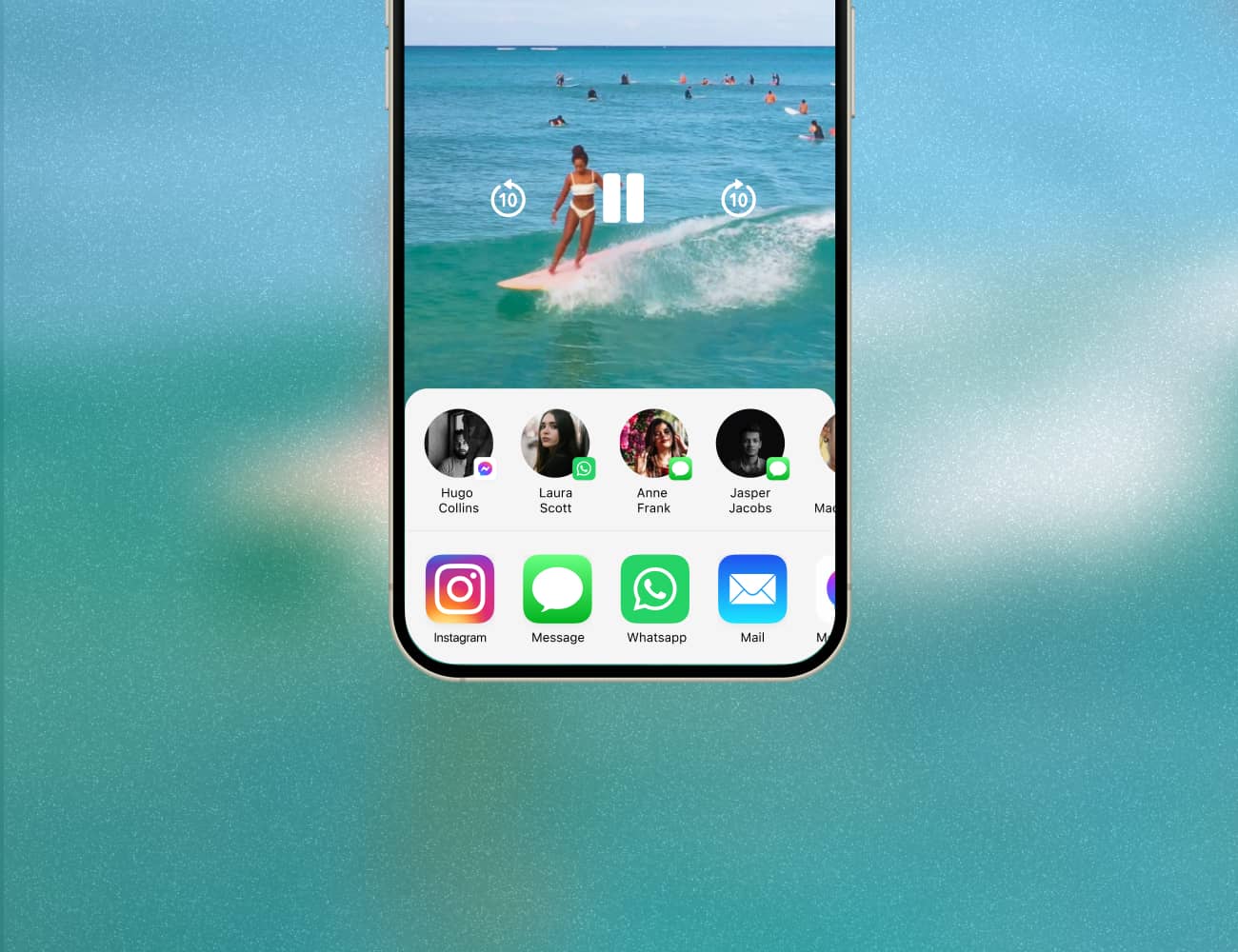
Surflens allows surfers to create multi-angle footage and add friends to the current session.
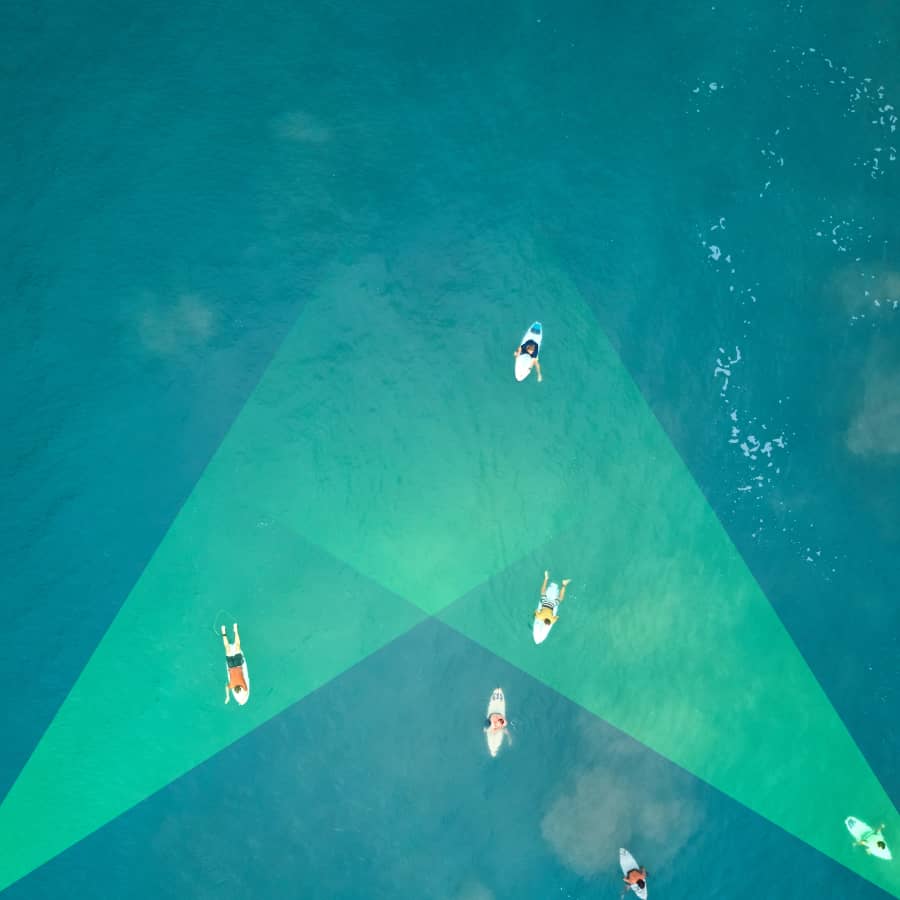
Connect multiple iPhones to the beach to capture the waves from different angles.

Friends can join the same camera and record their own rides
Made for Surfers, by Surfers.
You’re all set
No GoPro. No drones. Your camera already in your pocket.
SOON
Improve your surfing
AI analyzes your rides and highlights mistakes. Get personalized tips, and track progress.
SOON
Keep it safety
Cloud sync keeps all your videos and progress safe.
Join the Surflens Tribe
Surflens is a global community of wave chasers. We’re looking for passionate surfers to help shape the future of surf filmmaking. If you like our vision, contact us and get the information about our ambassador program.
Join Us
FAQ
Discover the answers to the most frequently asked questions.
Does this replace a filmer?
How does it work?
Why use a watch? Can’t I just leave a camera on the beach?
How do I connect LTE Watch or a regular Watch with a second iPhone?
How do I know the camera sees me?
Why does recording sometimes start with a delay?
What if the connection drops or internet is weak?
How do I get my videos after the session?
Is it safe to leave my phone on the beach?
Does it work with Apple Watch without LTE?
Do I need a server or internet?
Is there an Android version coming?
How do I become a Surflens ambassador?

Follow us to stay updated
© Surflens, 2025. Ride smarter. Learn faster.
BETA
Join waitlist
Catch your wave.
Surflens catches you.
AI-powered surf camera in your iPhone that shoots, tracks and teaches you to ride better.
Join waitlist
Be among the first 1000 — get lifetime PRO access.

How It Works
Your camera on the shore. Your control on the wave.
See Surflens in action
1
Using only an iPhone
AI finds you on the wave and keeps you in frame
Set your phone on the beach, and the AI-powered camera will automatically detect and record your waves.
ⓘ Before going into the water, make sure your phone is safe on the shore and someone is looking after it.
2
Using an iPhone + LTE Apple Watch
Need more control? Add your LTE watch on the wave.
Control your camera's range right from your wrist— know exactly where the lens is pointing and start/stop recording.

3
Using an iPhone + Second iPhone and Apple Watch
No LTE? Use the second phone on the water for the connection
Just take a second iPhone in a waterproof case — it connects seamlessly and keeps your watch linked to the shore camera.

Designed for surfers
in the water
Stay in the frame. See your previous starts.

Start or stop recording scrolling Digital Crown or gesture
Stay in control on your wrist
Designed for Water
Lock mode
Analyze your takeoff position on the wave
Optimized for
battery Life
Smooth lens switching
The lenses switch automatically as you ride the wave, because every detail matters.

Multi-Camera &
Shared Sessions
Surflens allows surfers to create multi-angle footage and add friends to the current session.
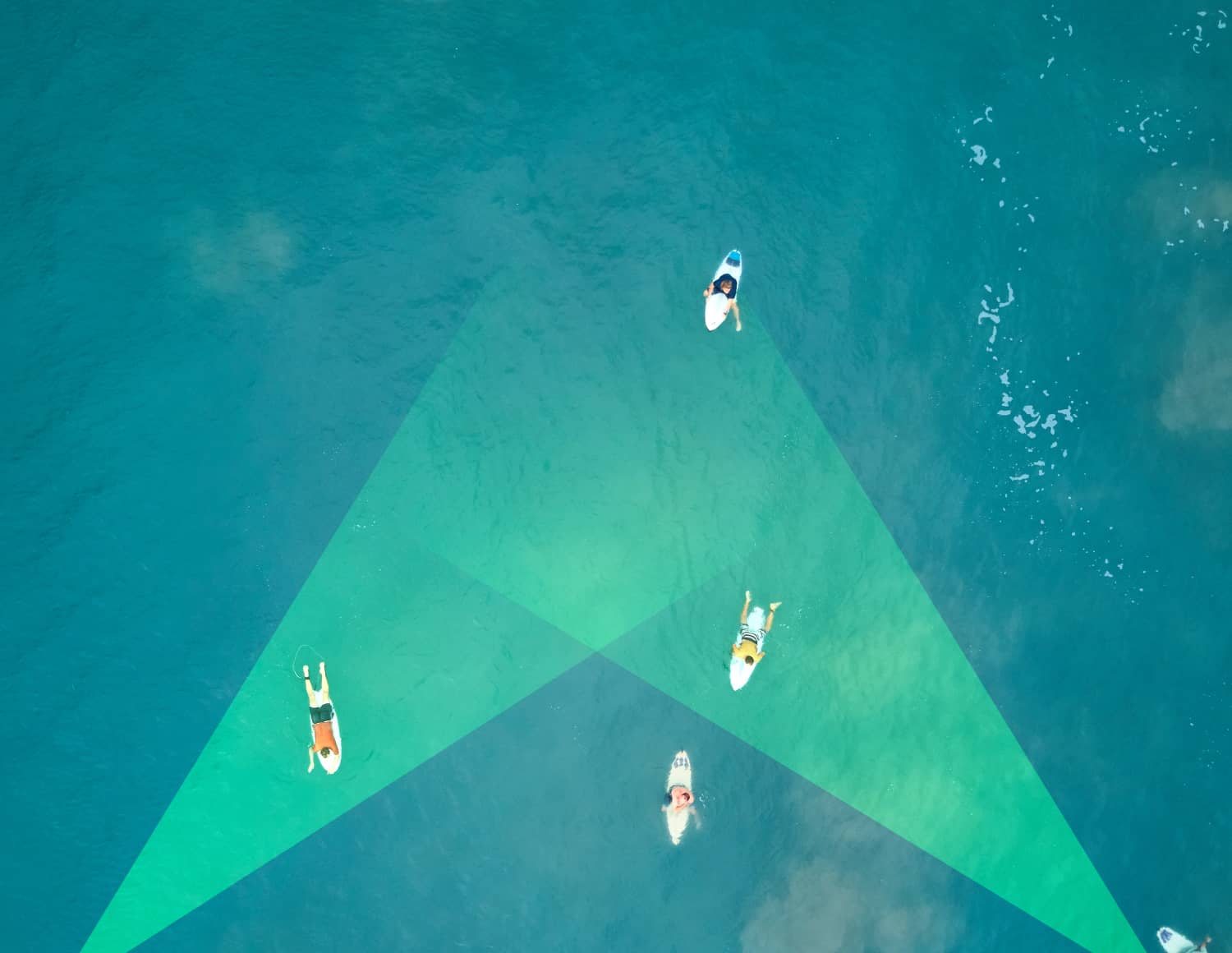
Connect multiple iPhones to the beach to capture the waves from different angles.
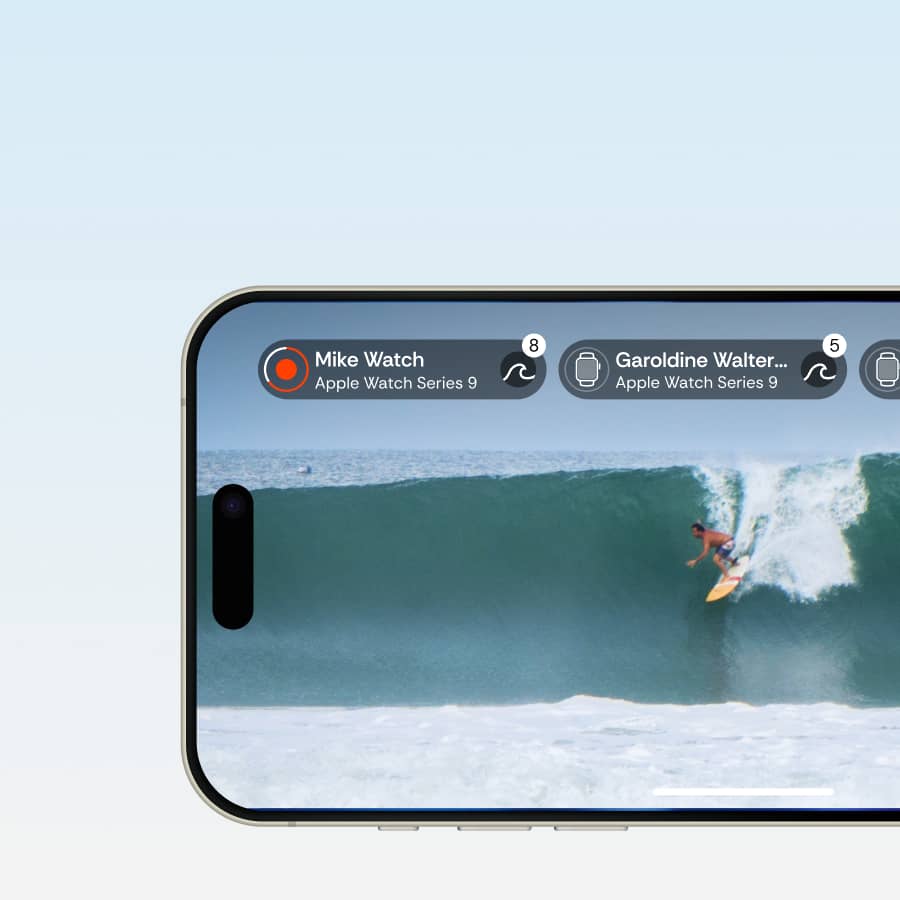
Friends can join the same camera and record their own rides
Made for Surfers, by Surfers.
You’re all set
No GoPro. No drones. Your camera already in your pocket.
SOON
Improve your surfing
AI analyzes your rides and highlights mistakes. Get personalized tips, and track progress.
SOON
Keep it safety
Cloud sync keeps all your videos and progress safe.
Join the Surflens Tribe
Surflens is a global community of wave chasers. We’re looking for passionate surfers to help shape the future of surf filmmaking. If you like our vision, contact us and get the information about our ambassador program.
Join Us
FAQ
Discover the answers to the most frequently asked questions.
Does this replace a filmer?
How does it work?
Why use a watch? Can’t I just leave a camera on the beach?
How do I connect LTE Watch or a regular Watch with a second iPhone?
How do I know the camera sees me?
Why does recording sometimes start with a delay?
What if the connection drops or internet is weak?
How do I get my videos after the session?
Is it safe to leave my phone on the beach?
Does it work with Apple Watch without LTE?
Do I need a server or internet?
Is there an Android version coming?
How do I become a Surflens ambassador?

Follow us to stay updated
© Surflens, 2025. Ride smarter. Learn faster.
BETA
Join waitlist
Catch your wave. Surflens catches you.
AI-powered surf camera in your iPhone that shoots, tracks and teaches you to ride better.
Join waitlist
Be among the first 1000 — get lifetime PRO access.

How It Works
Your camera on the shore. Your control on the wave.
See Surflens in action
1
Using only an iPhone
AI finds you on the wave and keeps you in frame
Set your phone on the beach, and the AI-powered camera will automatically detect and record your waves.
ⓘ Before going into the water, make sure your phone is safe on the shore and someone is looking after it.
2
Using an iPhone + LTE Apple Watch
Need more control? Add your LTE watch on the wave.
Control your camera's range right from your wrist— know exactly where the lens is pointing and start/stop recording.


3
Using an iPhone + Second iPhone and Apple Watch
No LTE? Use the second phone on the water for the connection
Just take a second iPhone in a waterproof case — it connects seamlessly and keeps your watch linked to the shore camera.
Designed for surfers
in the water
Stay in the frame. See your previous starts.

Start or stop recording scrolling Digital Crown or gesture
Stay in control on your wrist
Designed for Water
Lock mode
Analyze your takeoff position on the wave
Optimized for
battery Life
Smooth lens switching
The lenses switch automatically as you ride the wave, because every detail matters.

Multi-Camera &
Shared Sessions
Surflens allows surfers to create multi-angle footage and add friends to the current session.

Connect multiple iPhones to the beach to capture the waves from different angles.
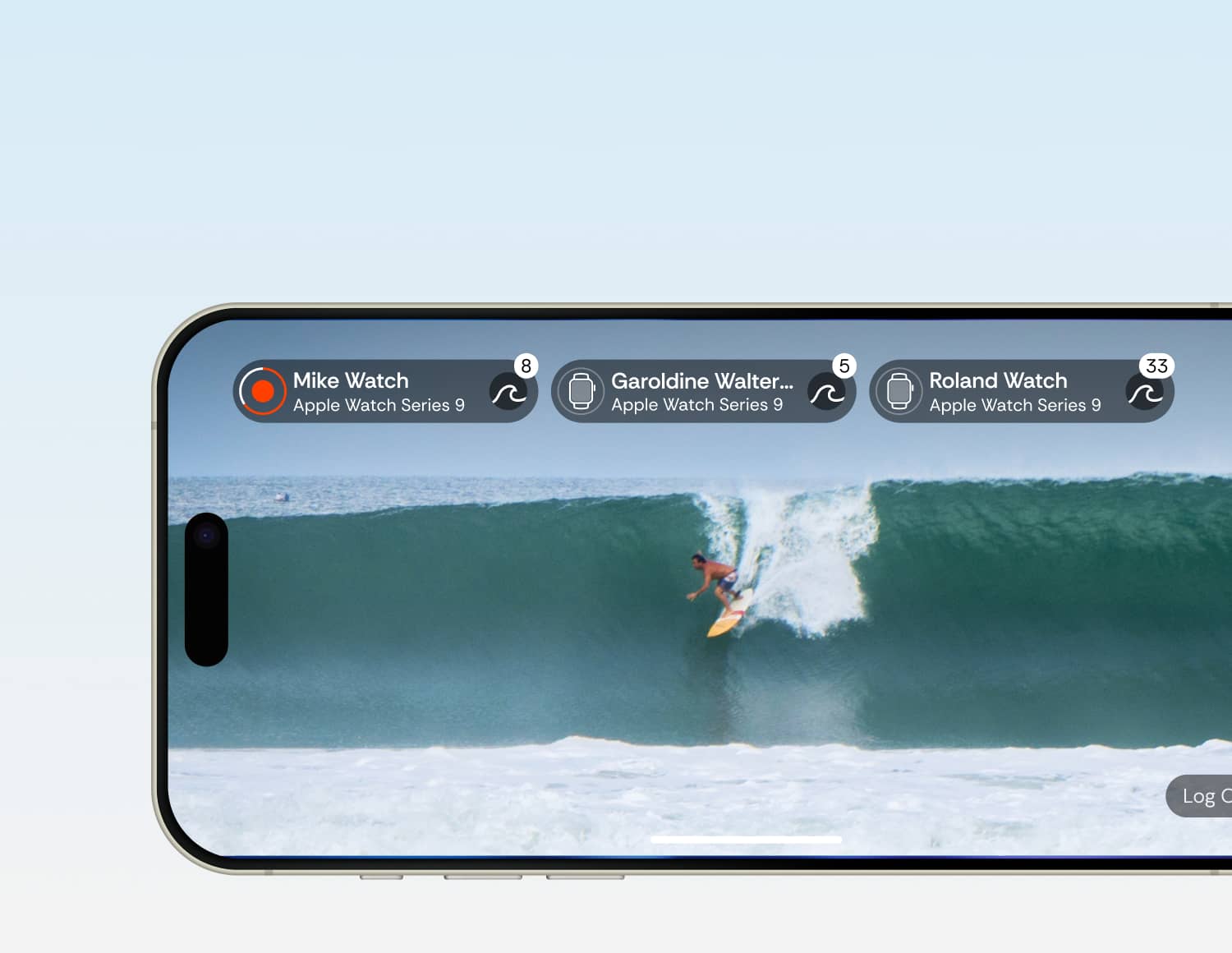
Friends can join the same camera and record their own rides

Made for Surfers, by Surfers.
You’re all set
No GoPro. No drones. Your camera already in your pocket.
SOON
Improve your surfing
AI analyzes your rides and highlights mistakes. Get personalized tips, and track progress.
SOON
Keep it safety
Cloud sync keeps all your videos and progress safe.
Join the Surflens Tribe
Surflens is a global community of wave chasers. We’re looking for passionate surfers to help shape the future of surf filmmaking. If you like our vision, contact us and get the information about our ambassador program.
Join Us
FAQ
Discover the answers to the most frequently asked questions.
Does this replace a filmer?
How does it work?
Why use a watch? Can’t I just leave a camera on the beach?
How do I connect LTE Watch or a regular Watch with a second iPhone?
How do I know the camera sees me?
Why does recording sometimes start with a delay?
What if the connection drops or internet is weak?
How do I get my videos after the session?
Is it safe to leave my phone on the beach?
Does it work with Apple Watch without LTE?
Do I need a server or internet?
Is there an Android version coming?
How do I become a Surflens ambassador?

© Surflens, 2025. Ride smarter. Learn faster.
Follow us to stay updated
BETA
Join waitlist
Catch your wave. Surflens catches you.
AI-powered surf camera in your iPhone that shoots, tracks and teaches you to ride better.
Join waitlist
Be among the first 1000 — get lifetime PRO access.

How It Works
Your camera on the shore. Your control on the wave.
See Surflens in action
1
Using only an iPhone
AI finds you on the wave and keeps you in frame
Set your phone on the beach, and the AI-powered camera will automatically detect and record your waves.
ⓘ Before going into the water, make sure your phone is safe on the shore and someone is looking after it.
2
Using an iPhone + LTE Apple Watch
Need more control? Add your LTE watch on the wave.
Control your camera's range right from your wrist— know exactly where the lens is pointing and start/stop recording.


3
Using an iPhone + Second iPhone and Apple Watch
No LTE? Use the second phone on the water for the connection
Just take a second iPhone in a waterproof case — it connects seamlessly and keeps your watch linked to the shore camera.
Designed for surfers
in the water
Stay in the frame. See your previous starts.

Start or stop recording scrolling Digital Crown or gesture
Stay in control on your wrist
Designed for Water
Lock mode
Analyze your takeoff position on the wave
Optimized for
battery Life
Smooth lens switching
The lenses switch automatically as you ride the wave, because every detail matters.

Multi-Camera &
Shared Sessions
Surflens allows surfers to create multi-angle footage and add friends to the current session.

Connect multiple iPhones to the beach to capture the waves from different angles.

Friends can join the same camera and record their own rides

Made for Surfers, by Surfers.
You’re all set
No GoPro. No drones. Your camera already in your pocket.
SOON
Improve your surfing
AI analyzes your rides and highlights mistakes. Get personalized tips, and track progress.
SOON
Keep it safety
Cloud sync keeps all your videos and progress safe.
Join the Surflens Tribe
Surflens is a global community of wave chasers. We’re looking for passionate surfers to help shape the future of surf filmmaking. If you like our vision, contact us and get the information about our ambassador program.
Join Us
FAQ
Discover the answers to the most frequently asked questions.
Does this replace a filmer?
How does it work?
Why use a watch? Can’t I just leave a camera on the beach?
How do I connect LTE Watch or a regular Watch with a second iPhone?
How do I know the camera sees me?
Why does recording sometimes start with a delay?
What if the connection drops or internet is weak?
How do I get my videos after the session?
Is it safe to leave my phone on the beach?
Does it work with Apple Watch without LTE?
Do I need a server or internet?
Is there an Android version coming?
How do I become a Surflens ambassador?

© Surflens, 2025. Ride smarter. Learn faster.
Follow us to stay updated
BETA
Join waitlist
Catch your wave. Surflens catches you.
AI-powered surf camera in your iPhone that shoots, tracks and teaches you to ride better.
Join waitlist
Be among the first 1000 — get lifetime PRO access.

How It Works
Your camera on the shore. Your control on the wave.
See Surflens in action
1
Using only an iPhone
AI finds you on the wave and keeps you in frame
Set your phone on the beach, and the AI-powered camera will automatically detect and record your waves.
ⓘ Before going into the water, make sure your phone is safe on the shore and someone is looking after it.
2
Using an iPhone + LTE Apple Watch
Need more control? Add your LTE watch on the wave.
Control your camera's range right from your wrist— know exactly where the lens is pointing and start/stop recording.


3
Using an iPhone + Second iPhone and Apple Watch
No LTE? Use the second phone on the water for the connection
Just take a second iPhone in a waterproof case — it connects seamlessly and keeps your watch linked to the shore camera.
Designed for surfers
in the water
Stay in the frame. See your previous starts.

Start or stop recording scrolling Digital Crown or gesture
Stay in control on your wrist
Designed for Water
Lock mode
Analyze your takeoff position on the wave
Optimized for
Battery Life
Smooth lens switching
The lenses switch automatically as you ride the wave, because every detail matters.

Multi-Camera &
Shared Sessions
Surflens allows surfers to create multi-angle footage and add friends to the current session.

Connect multiple iPhones to the beach to capture the waves from different angles.

Friends can join the same camera and record their own rides
Made for Surfers, by Surfers.
You’re all set
No GoPro. No drones. Your camera already in your pocket.
SOON
Improve your surfing
AI analyzes your rides and highlights mistakes. Get personalized tips, and track progress.
SOON
Keep it safety
Cloud sync keeps all your videos and progress safe.
Join the Surflens Tribe
Surflens is a global community of wave chasers. We’re looking for passionate surfers to help shape the future of surf filmmaking. If you like our vision, contact us and get the information about our ambassador program.
Join Us
FAQ
Discover the answers to the most frequently asked questions.
Does this replace a filmer?
How does it work?
Why use a watch? Can’t I just leave a camera on the beach?
How do I connect LTE Watch or a regular Watch with a second iPhone?
How do I know the camera sees me?
Why does recording sometimes start with a delay?
What if the connection drops or internet is weak?
How do I get my videos after the session?
Is it safe to leave my phone on the beach?
Does it work with Apple Watch without LTE?
Do I need a server or internet?
Is there an Android version coming?
How do I become a Surflens ambassador?

© Surflens, 2025. Ride smarter. Learn faster.